
Feature Overview
A complete tour of script editing, visual tools, validation and publishing.
A tour of what the Paradox Modding Toolkit does. Screenshots show the packaged extension, using CK3 mods and Victoria 3 demonstration projects. Each section links to the wiki page with the full details.
Three games are supported: Crusader Kings III, Victoria 3 and Europa Universalis V. The feature matrix and what each one gets is on Supported Games.
Available in 0.5.0: the editor improvements described below are included in this published release.
Start without finding folders#
The welcome panel offers Create a Mod, Find Existing Mod and a tutorial. The first-mod tutorial action enables scope hints. After creating or finding a mod, choose Add to Current Workspace or Open in New Window. Existing projects can go straight to editing. See Getting Started.
The Project dashboard#
The PX Toolkit icon opens Project, with the active game, workspace mods, tool groups and editor settings. Small + and folder buttons create or add mods. A filled focus dot marks Follow active editor or a pinned mod; indexing has a separate switch. The package icon opens All Tools, and row customization is in the ... menu.
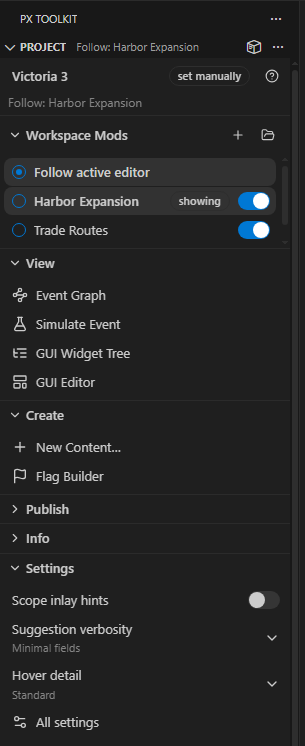
Mod Overview and Localization Coverage now live in Explorer by default. Problems by Type, Overrides & Conflicts and Dependencies are available there but start hidden. Custom placements are preserved. Utils, Test & Troubleshoot and Paths remain separate toolkit views. See Sidebar Views.
Smart editing#
Scope-aware completion. Key positions offer verbs (triggers, effects, scope targets, your own scripted effects), value positions offer nouns (traits, events, on_actions, loc keys), and prefixes like scope:, culture: and title: complete their referents. Items valid in the current scope rank first by real vanilla frequency; the rest are annotated, never hidden.
Hover docs, merged. Documentation from your own script_docs dumps and, on CK3, the bundled wiki lists, plus the supported scopes, the live scope chain at the cursor, resolved localization text, your own # comments above a definition, a clickable definition link and reference count, and inline .dds texture previews.
Navigation. Go to definition, references and workspace symbols span the mod, parents and vanilla. Since 0.5.0, the toolkit tracks unsaved definitions and keeps symbol kinds separate. Rename changes only supported, mod-owned symbols and refuses ambiguous, stale or read-only targets. See Editor Features.
Outlines that go all the way down#
Every multi-line block is an outline entry at any depth, so breadcrumbs and sticky scroll show the real path instead of stopping two levels in.
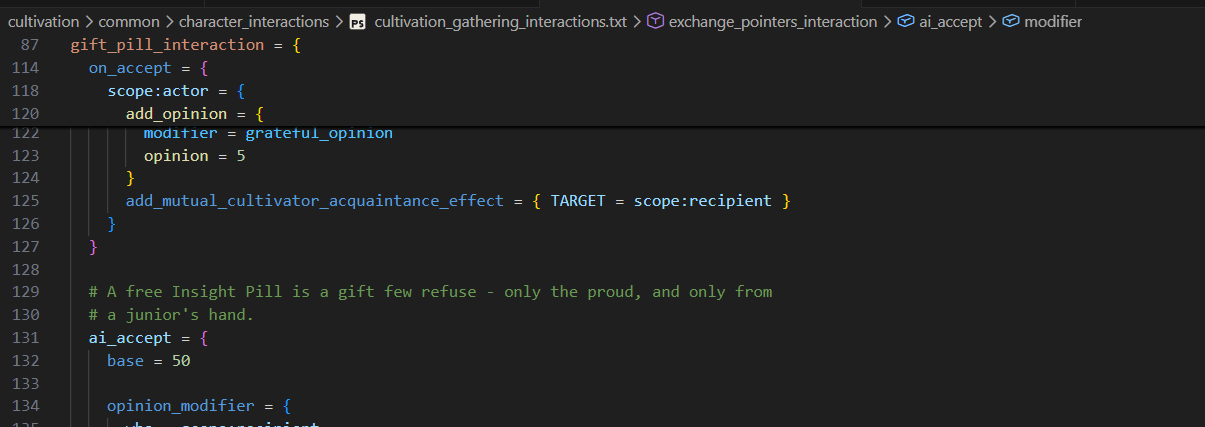
The same holds in .gui files (the nested widget tree, with declarations labeled) and localization files. Folding works in all of them, and descriptor.mod and the bundled _*.info docs fold and outline too. See Editor Features.
Validation#
Structural diagnostics, instantly. The toolkit catches the silent-failure class as you type: unbalanced braces, missing UTF-8 BOM, localization header and filename mismatches, folder-name traps, unknown event references, missing required loc. These are certain errors with no false positives, so they run live. Every code and its in-game consequence is in Configuration.
tiger, integrated. Semantic validation is delegated to tiger, as ck3-tiger or vic3-tiger depending on the game. Run it from the status bar, Ctrl+Alt+V, or on every save. Reports land in the native Problems panel with the tiger error key, so # px:ignore suppression works on them too. The toolkit downloads and updates the binary, generates a conf, snapshots a baseline so a legacy mod only surfaces new problems, and runs tiger's unused-definition scan. Your dependency mods are passed to tiger as load_mod entries, so a submod's references into its parents resolve instead of coming back unknown.
The running game, in your editor. Launch in debug mode and the error.log watcher turns the game's own script errors into squiggles on your files as they happen, multi-line Script system error! blocks included.
Walk an event before you play it#
Simulate Event lays an event out in firing order (trigger, immediate, every option, after), with the title, description and option names resolved through your localization and each block printed back as readable script.
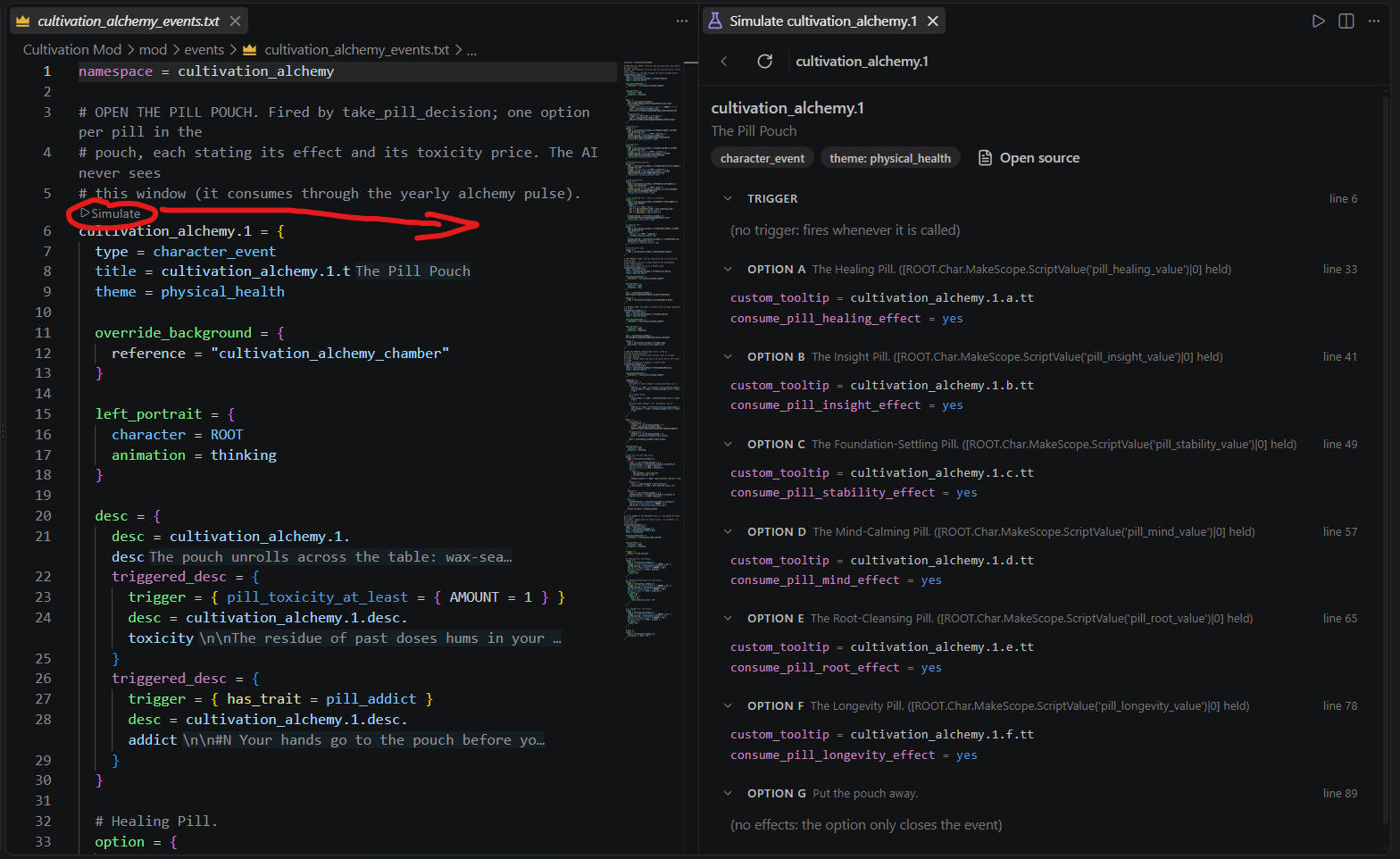
Every onward trigger_event is a step-into link, so you can walk a whole chain with a breadcrumb and a Back button without opening ten files. Nothing is invented: an unresolvable reference is labeled as one.
See the chains#
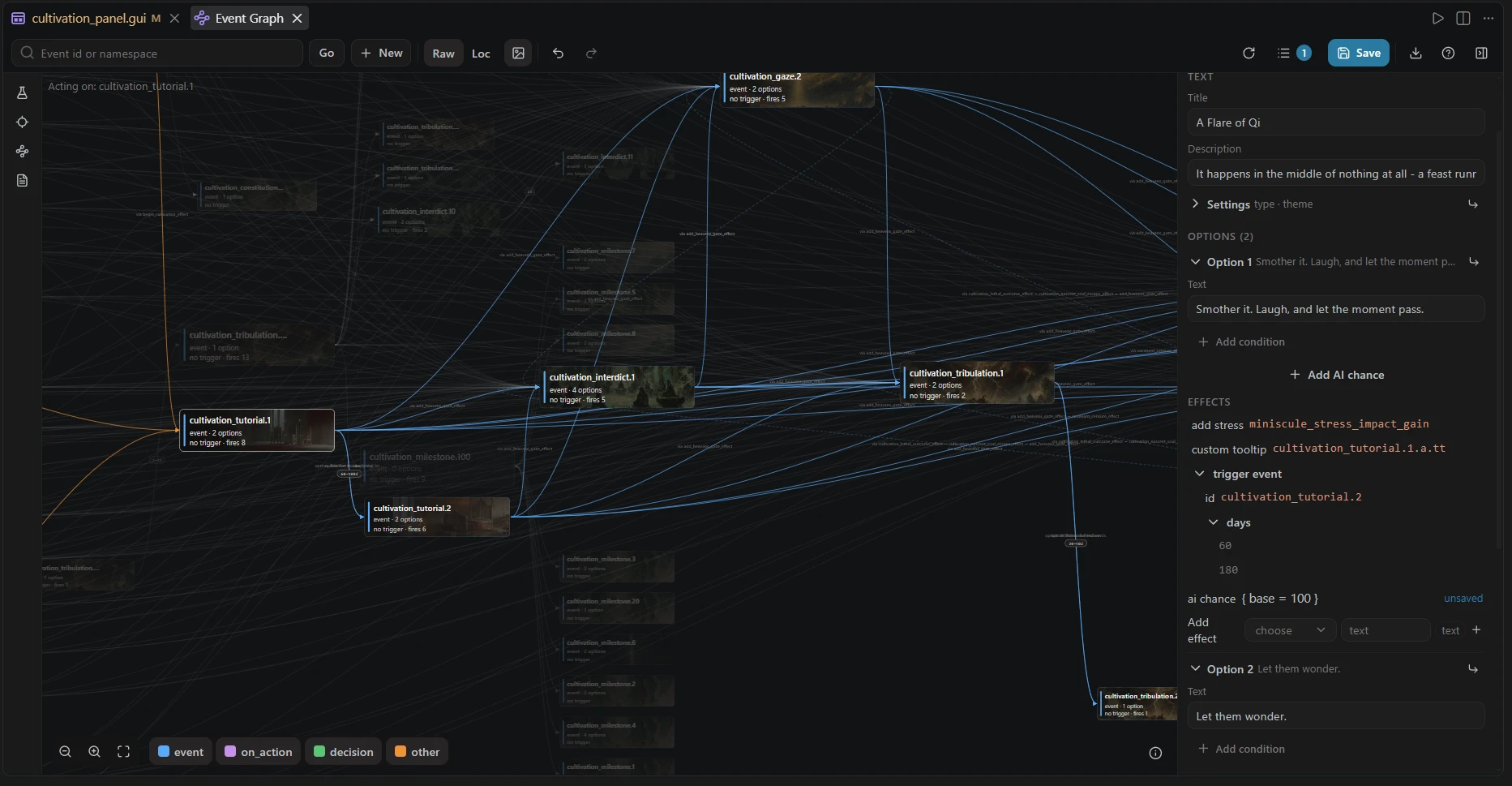
Show Event Graph draws your events, on_actions and decisions as an interactive graph where left to right means "happens after": every card's column is its distance from the chain's start, cycles draw as return arcs, and each event card grows a row per phase (trigger, immediate, options, after) so an edge attaches to the option that fires it. Select a card and everything outside its neighborhood dims: blue is what it fires, orange is what fires it, and Chain cuts the graph to one card's story at an adjustable depth.
The inspector shows the selected event as a structured editor that reads as words, not script: localized title, description and options edit in place (written back BOM-correct), values turn into typed inputs when clicked, and edits collect as pending changes you save in one go. The query box completes on your mod's real event ids, and the graph exports as SVG. The full tour is on Event Graph.
Vanilla knowledge built in#
Format docs (.info) side by side#
When a matching .info format doc exists in the game directory for the file you are editing, a title-bar button opens it side by side: Paradox's own schema documentation, syntax highlighted, right next to your file. (CK3 only, the other two games ship no .info docs.)
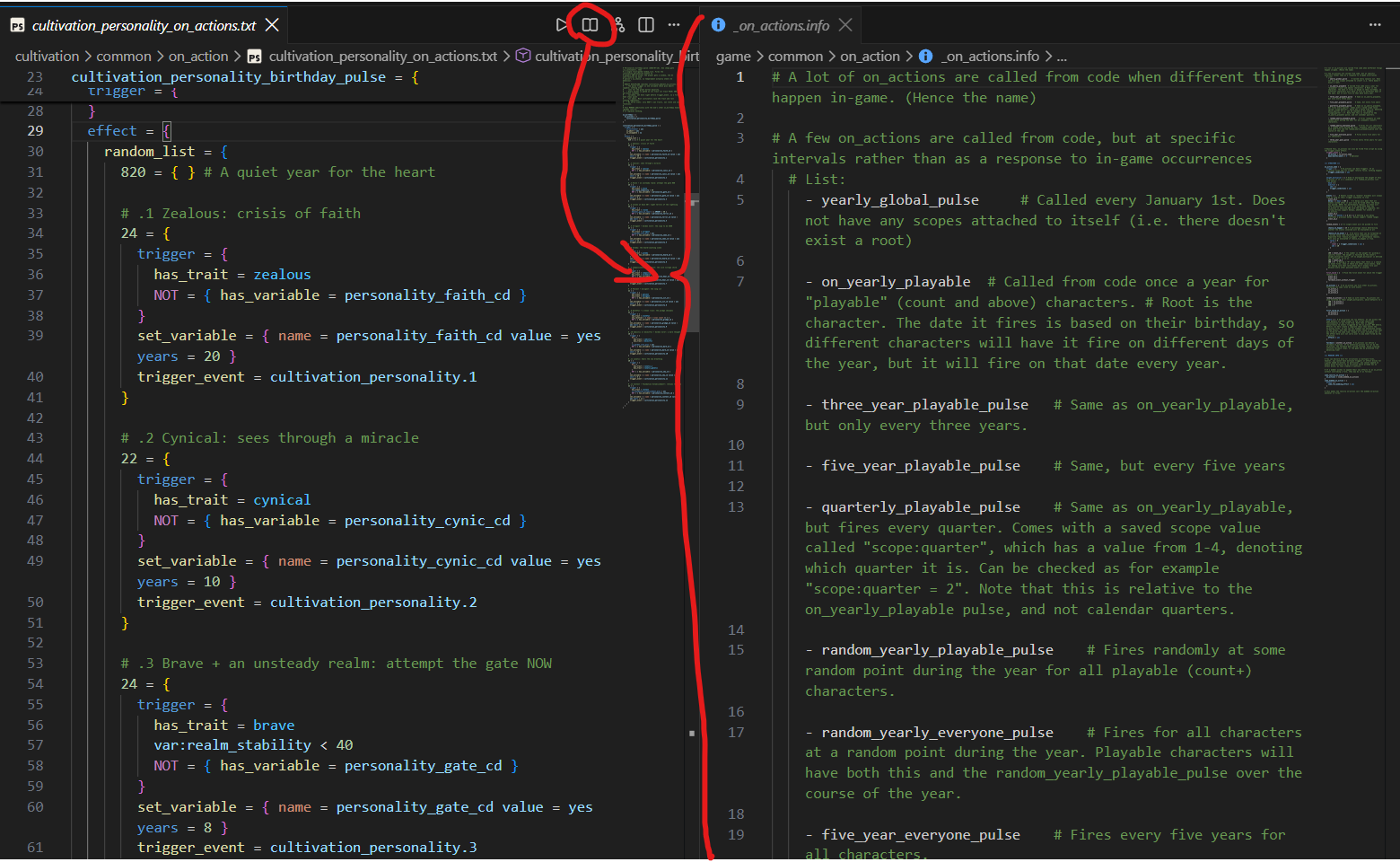
Vanilla examples one click away#
Inside an .info doc, another title-bar button lists the vanilla files in the same folder, so you can jump from the schema straight into real working examples.
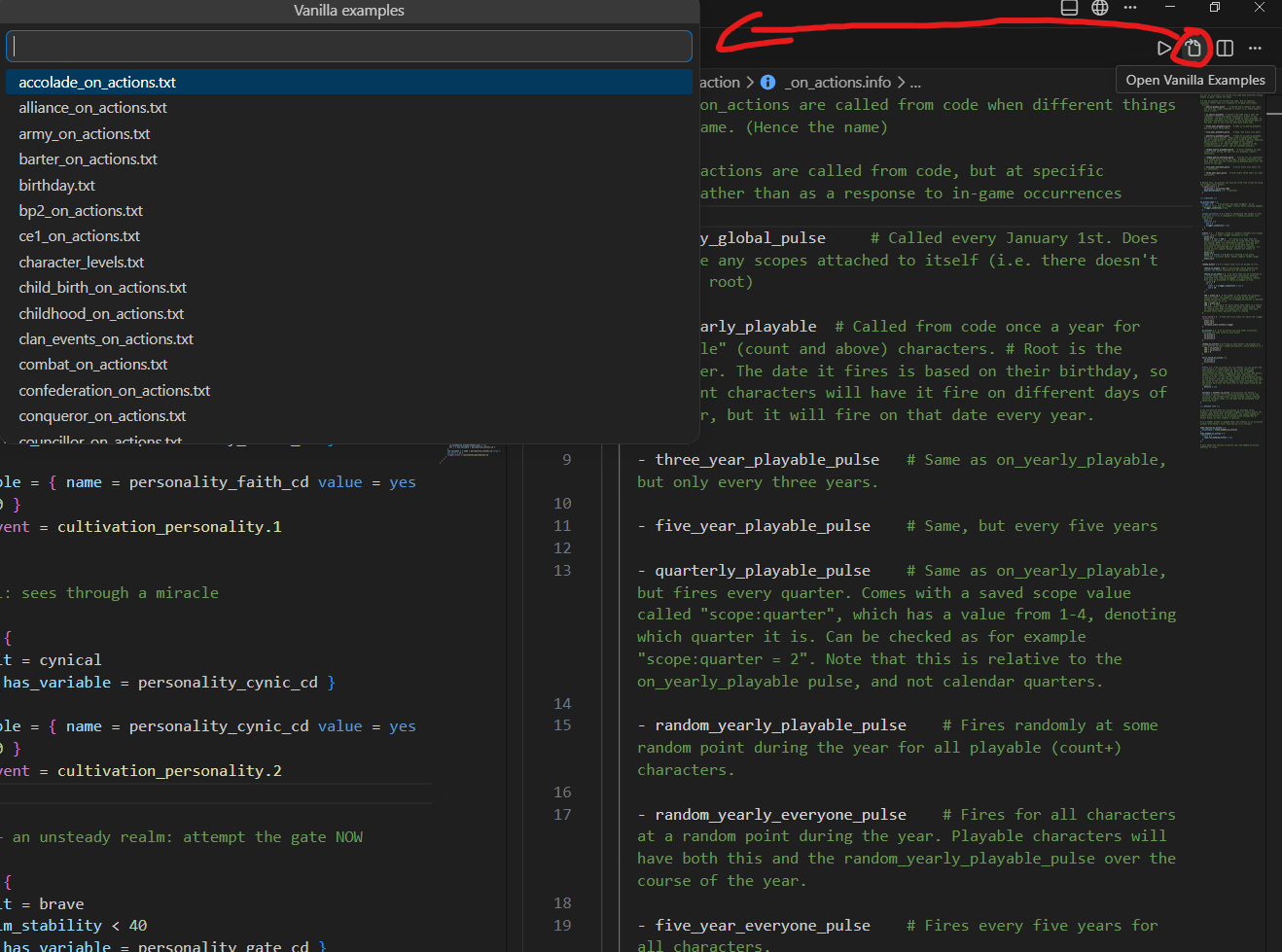
The Examples Wiki#
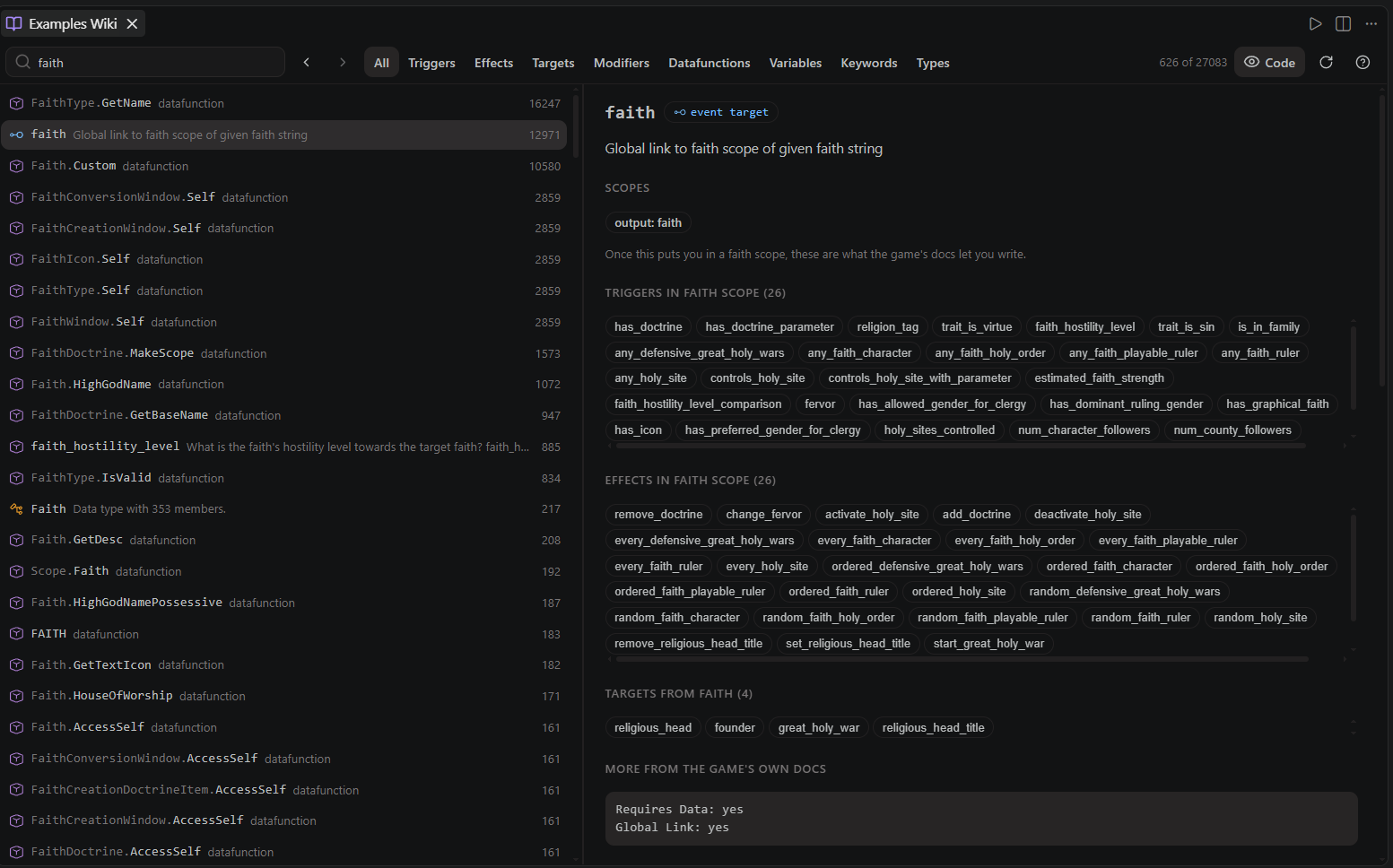
Show Examples Wiki opens a searchable browser over everything the toolkit knows from your game: triggers, effects, event targets, modifiers, datafunctions, data types, and your own variables and lists, ranked by how often vanilla actually uses them. An article shows the engine's own docs, the observed arguments, and real vanilla example sites with the surrounding lines inline, one click from the file itself. Articles cross-link: a scope article lists everything usable from that scope, a datafunction links its return type, and a variable article shows where it is set and where it is read. See Examples Wiki.
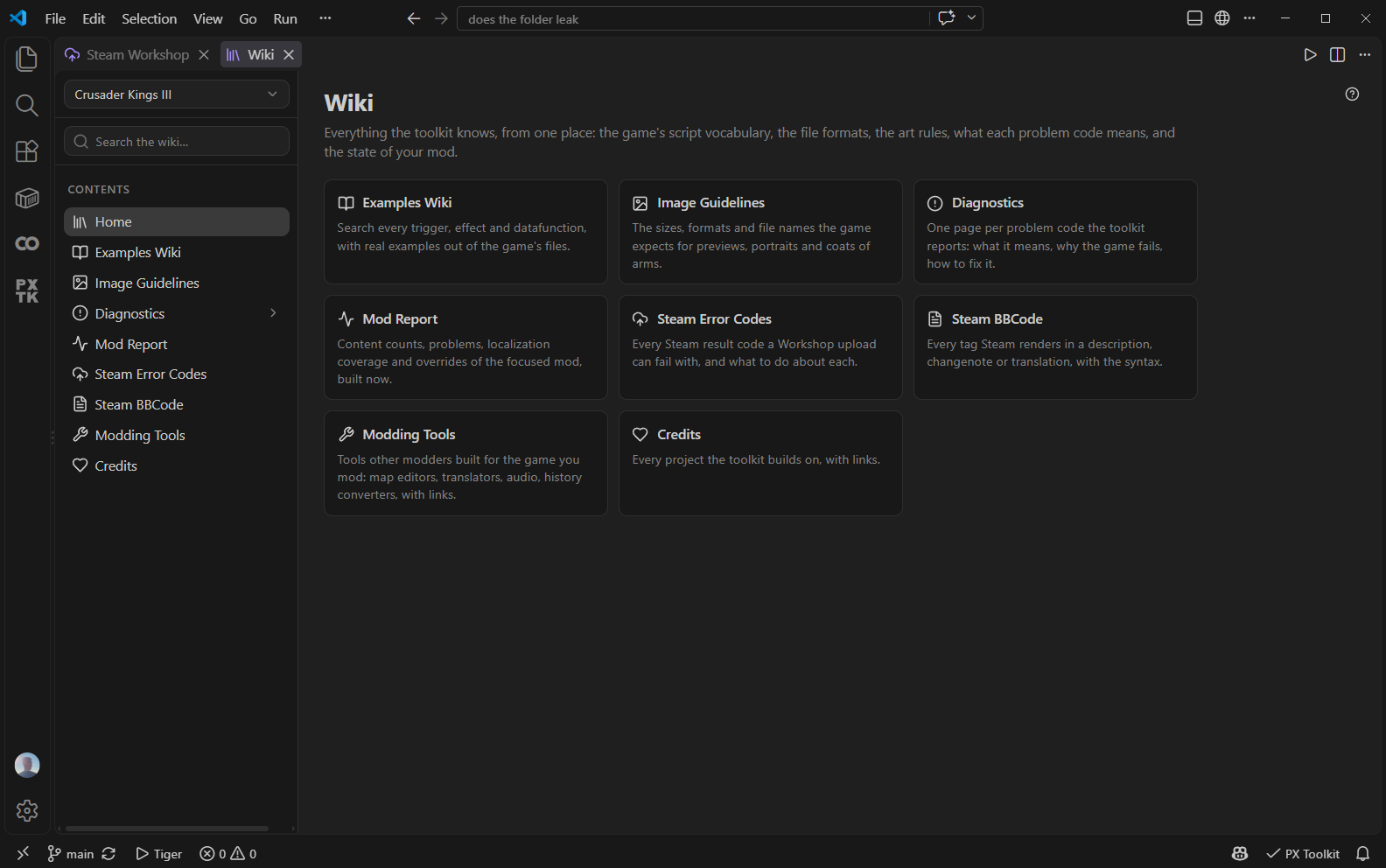
The Project panel's Wiki row opens the same knowledge as a hub: the image guidelines, every diagnostic code's explanation page, the mod report, Steam's result codes and BBCode tags, a curated Modding Tools list of what other modders built for the game, and a launcher for the Examples Wiki, all searchable by title and body text. A game switch at the top of its sidebar reads another game's pages without changing the workspace.
Write CK3 content in a form#
The Create group of the Project panel opens a creator per kind: Trait, Dynasty Legacy, Culture, Tradition, the Dynasty Tree and the Coat of Arms Designer. Each one is a form over the keys the game's own docs describe, with a picker wherever the index knows the values, the value vanilla writes most as every placeholder, and a preview drawn from the game's own art and text: a trait's tooltip, a legacy row with its five perk tiles, the culture window header, a family tree.
They write ordinary script. Open something you already have and only the lines you changed are written back, so comments and formatting survive; the localization lands in the loc file named after the script file; the whole save is one undo step. ck3-tiger stays the validator. See Content Creators.
Publish to the Steam Workshop#
The Workshop panel puts your mod's Workshop item on one page, through the running Steam client: title, description, tags, the preview gallery, required DLC and items, translations, changenote and live statistics. Every part of an upload is its own switch (mod files, details, requirements, each translation, changenote), pre-upload checks run before anything reaches Steam, and uploads always confirm first. The listing lives as files in .px-toolkit/workshop inside the mod, in Steam's BBCode with highlighting, completion and a live preview, and the changenote comes from your changelog, your last commit or a box you type in, whichever you pick. A first publish starts private and writes the item id back where the game's tooling expects it. See Steam Workshop.
Start the game from the editor#
The Run button on any script or .gui file launches the game in debug mode through Steam; its dropdown offers the map editor and a quick pick of per-game presets (Continue Last Save, CK3's Skip to 1066 Lobby and Benchmark, vanilla), every flag verified in the game's own binary. F5 works too: a paradox-game run type backs the Run and Debug panel, and launch.json makes your own option sets permanent. Combined with the error.log watcher, the loop is edit, F5, read the squiggles. See Running the Game.
GUI tooling#
Widget tree#
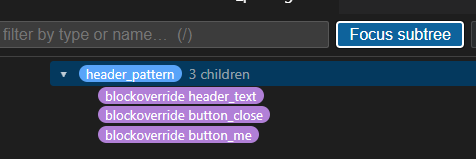
Show GUI Widget Tree renders any .gui file as a collapsible hierarchy: windows, containers, widgets, templates and animation states, with type badges, filtering, click-to-jump (which also flashes the line in the source) and auto-refresh on save. Focus subtree pins one branch so you can work inside it without re-narrowing.
A visual GUI editor#
Open GUI Editor (Ctrl+Alt+P) draws your window with the measured layout engine and lets you work in it: click to select the widget you meant, read every property with the template or type it came from, drag and resize on the canvas, multi-select, use layers and guides, and insert from an element library where every element is previewed as the game draws it. Localization renders resolved by default, so the canvas reads like the game rather than like key soup.
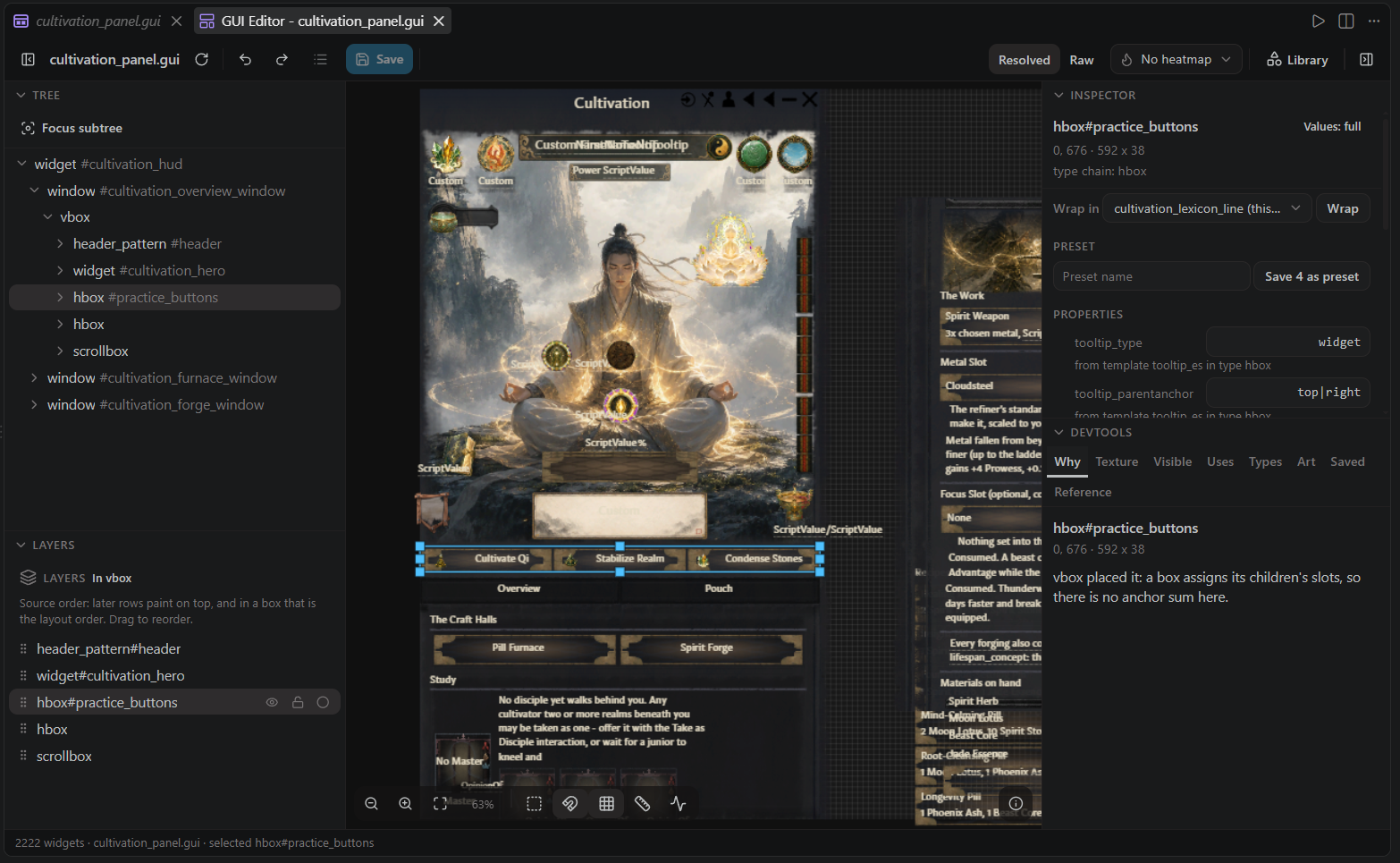
Three things it does that a preview cannot: it writes your file with one surgical edit per gesture (comments, tabs and single-line bodies survive), it writes the value rather than the cursor so anchored widgets land where you dropped them, and it turns a gesture down before it moves when the engine would ignore what you asked for. CK3 and Victoria 3. See GUI Editor.
A flag editor#
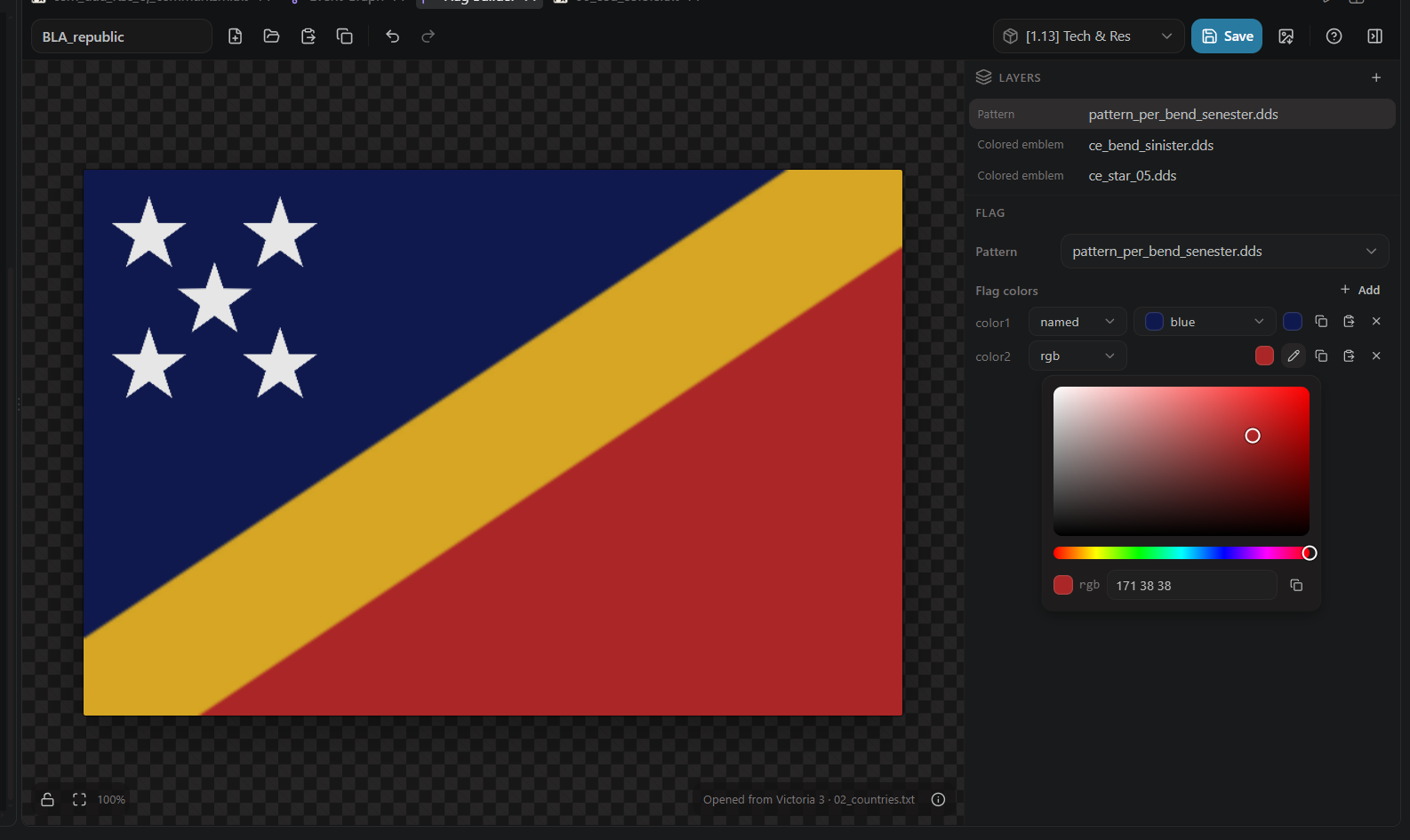
Open Flag Builder (Victoria 3 and EU5) composes a coat of arms from the game's and your mods' patterns and emblems, recolored exactly as the game does it. Drag emblems on the canvas, scrub positions and scales, pick colors in the game's own formats, browse every existing flag as a live preview, and save the result as script into the mod you choose. See Flag Builder.
On CK3 the same command opens the Coat of Arms Designer, which adds the game's preset layouts, its dynasty, house and title frames with their six tiers, multi-select and alignment tools, a snapping grid, and a library that keeps your designs outside any mod. See Content Creators.
DDS textures and images#
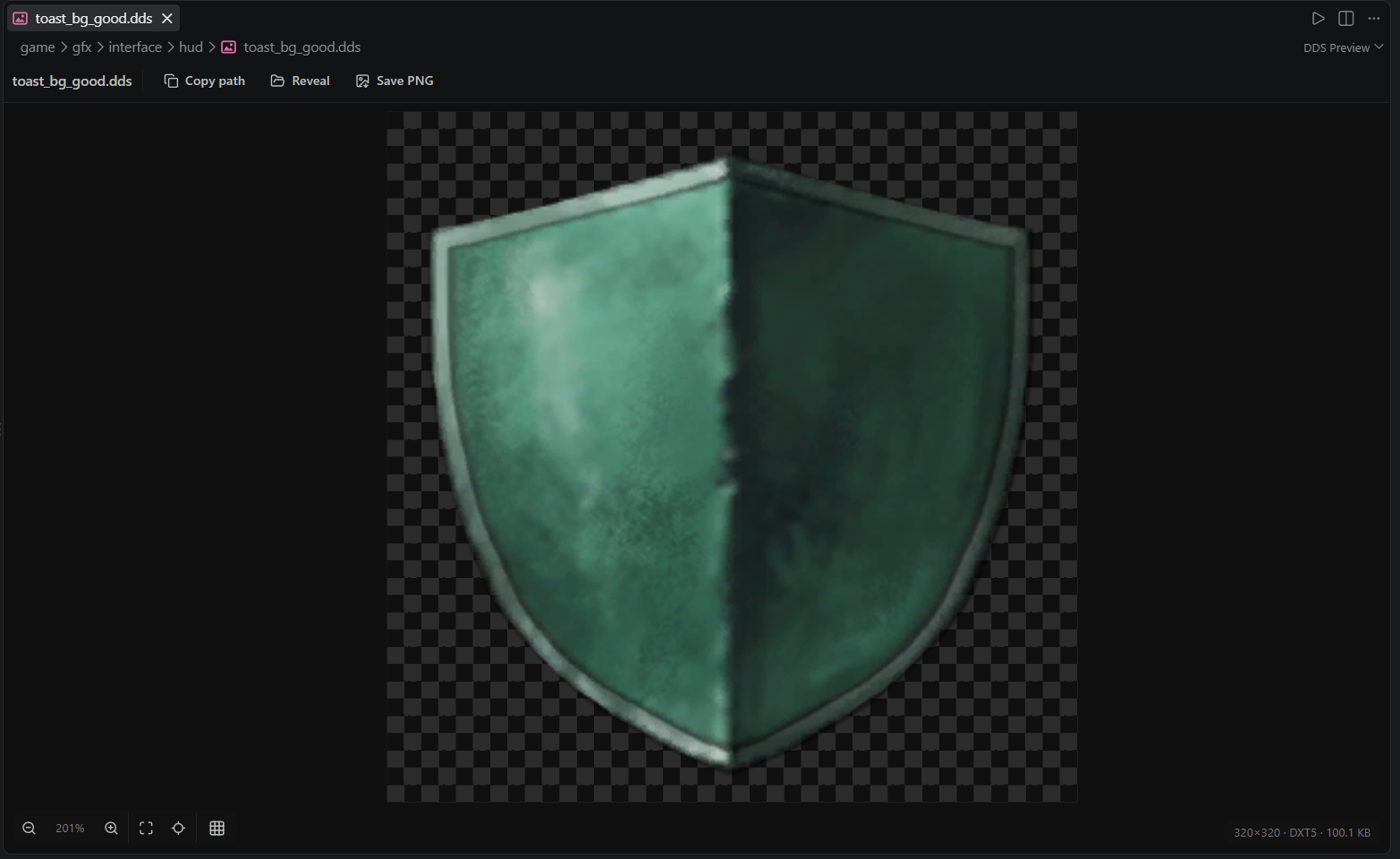
Hover any .dds path and the texture is decoded and shown inline, mod-first, with its dimensions and encoding named, so you see the file the game will actually load. Click a .dds file and it opens in a zoomable viewer with an alpha checkerboard, format and size info, and one-click Copy path (as script references it), Reveal and Save PNG. DXT1/3/5, BC7 and uncompressed are supported, by a pure-TypeScript decoder with no external codecs.
The converter handles batches of DDS, PNG, JPEG and WebP files. Select images directly, or right-click an Explorer folder. Existing outputs trigger a skip-or-overwrite toast; source files are preserved. Show Image Guidelines lists sizes and formats measured from vanilla. See DDS and Images.
Localization#
Loc text shows inline as inlay hints, a quick fix edits a key's text in place (BOM-correct, routing vanilla overrides to localization/replace/), and the coverage view tracks missing, orphaned and untranslated keys per language with a one-click add.
Translation tooling goes as far as generating a complete standalone translation mod for someone else's mod: descriptor with the dependency, every loc file mirrored and blanked with the original text kept as comments, a playset so it resolves when opened alone, and a TRANSLATE.md with a ready-made AI translation prompt. See Multi Mod and Translation.
And more#
- New Mod and the two layouts: Choose the current workspace or a new window when creation finishes. New Mod creates a mod with its descriptor, either in the game's own mod folder with
.px-toolkit/workshop/and.pxignoreinside it, or in a projects folder where the content lives in<project>/modand the game finds it through a link. Move Mod converts one into the other later, listing included. See Getting Started. - Content scaffolding and snippets: New Content generates events, decisions, interactions and on_action hooks that are correct by construction (right folder, BOM, namespace declared, on_actions written as appends). Inside a file, typing offers the measured skeleton of that folder's definition kind and its common child blocks, and Insert Snippet (
Ctrl+Alt+I) lists them next to the engine's own block examples. - Custom calendars: a total-conversion mod declares its era mapping once, in
<mod>/.px-toolkit/calendar.json, and every script date shows its in-game form as an inlay hint, with a command that generates the in-game date localization. See Custom Calendars. - Multi-mod workspaces: every mod in the workspace is indexed together, with read-only parent mods for submods and compatibility patches, and no primary mod to configure.
- Setup and health check: detects the game, the install, the mod folder and the dump folder, and tells you what is missing.
- Not tied to VS Code: the language server is standard LSP over
--stdioand runs from neovim, Zed, Helix or your own application. See Outside VS Code. - Modding with an AI agent: the agent skills for Crusader Kings III and Victoria 3 are a separate project, paradox-ai-modding, for any agent that reads
SKILL.mdfiles.
For the full guided tour of the editor features, continue with Editor Features.