Completion for your
Paradox scripts.
Suggestions and documentation from your game, in VS Code. Design coats of arms and publish to Steam Workshop from the same workspace.
Free & open source · Windows, macOS & Linux · Other editors & LSP
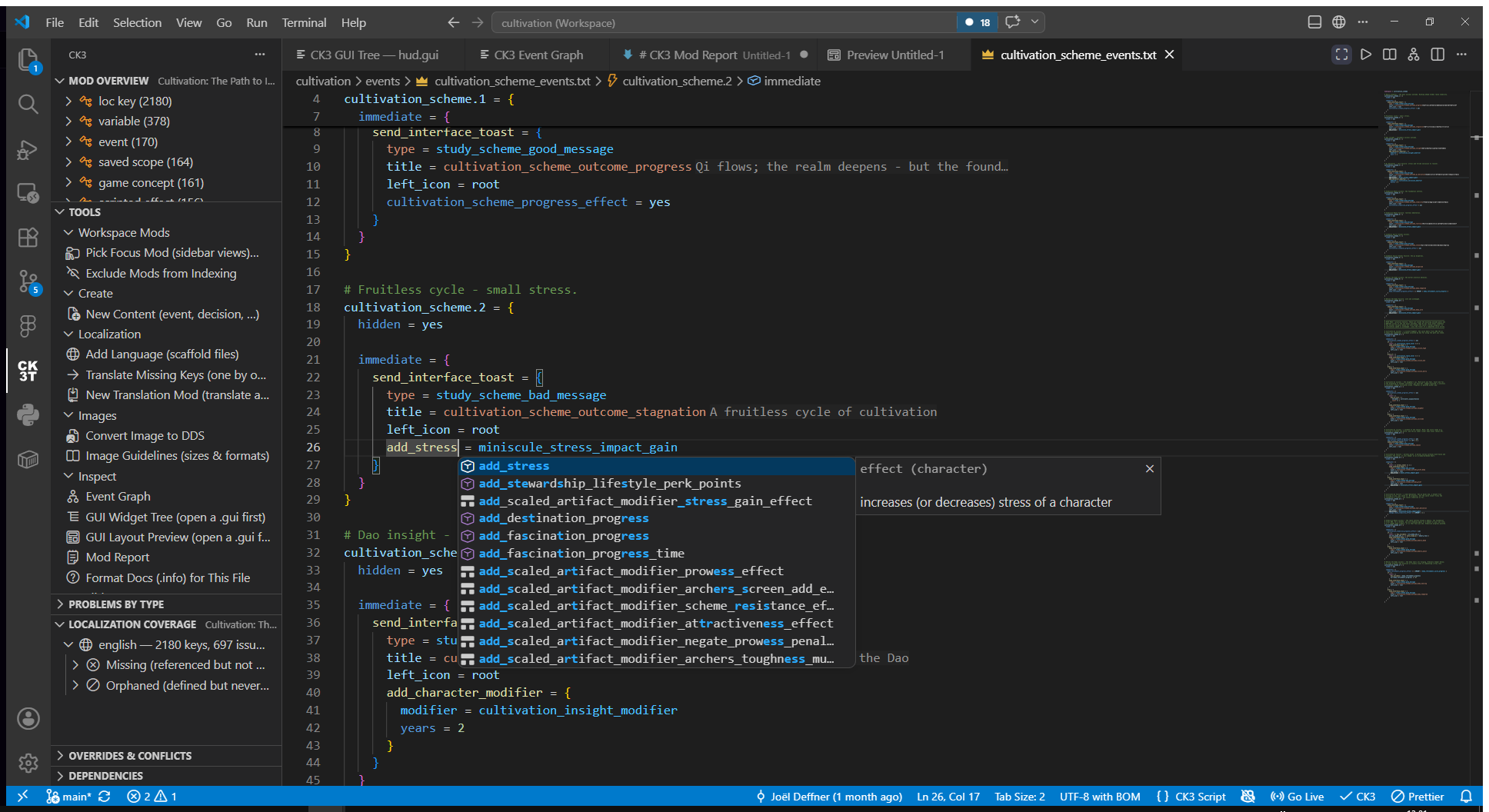
- Your game and your mod
- Complete effects, triggers, definitions and localization keys from the files you work with.
- Context at the cursor
- Suggestions for the current scope rank first. Hover for documentation; jump to definitions when you need the source.
Design a coat of arms.
Choose CK3 patterns, colors and emblems. Move, scale and layer them on the canvas, then preview your design in the game's house and dynasty frames.
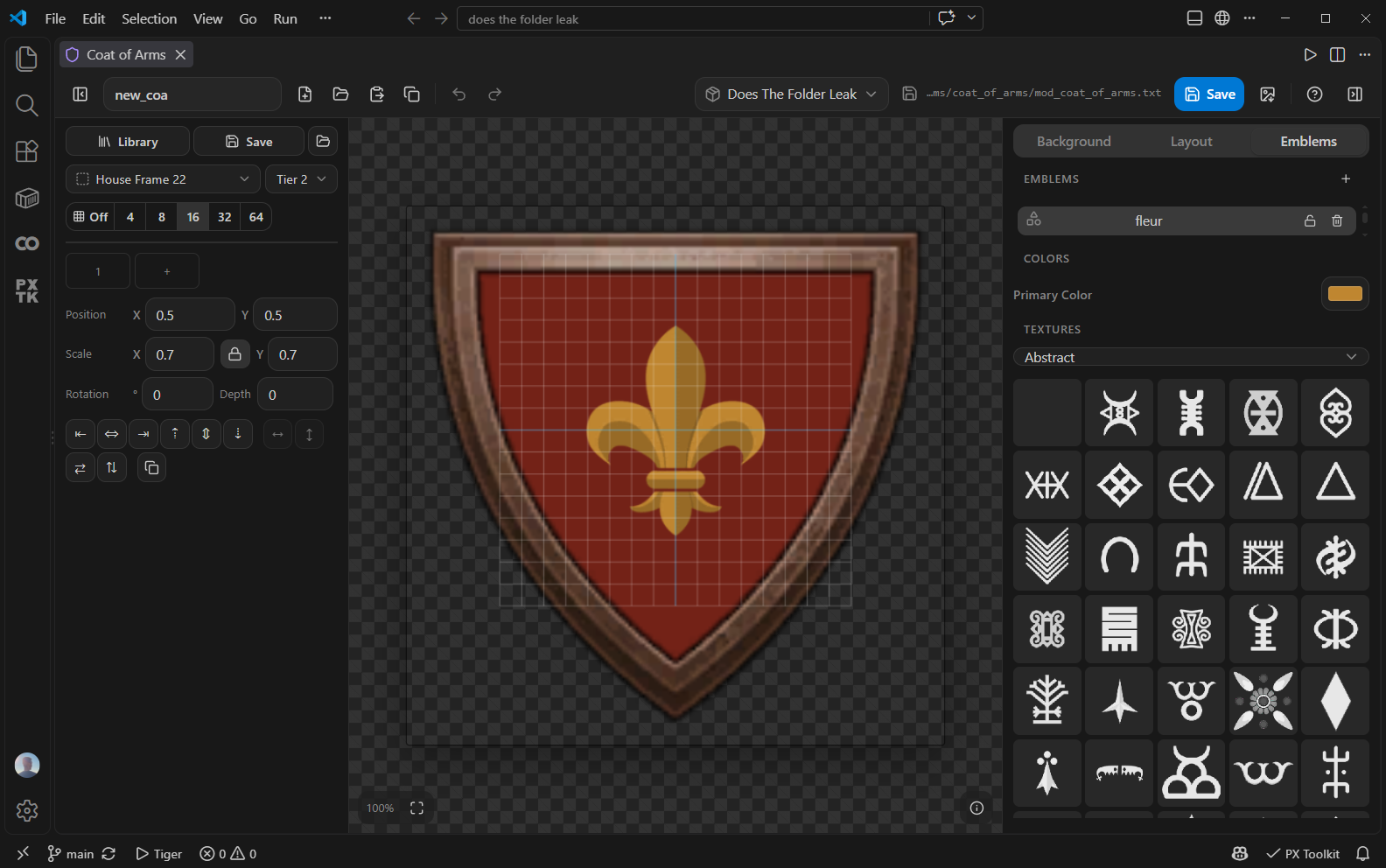
Start from an existing design or a blank canvas. Save to your mod, keep designs in your library, or copy the script.
Coat of Arms Designer guideFor Victoria 3 and EU5, use the Flag Builder.
Publish to
Steam Workshop.
Upload your mod from VS Code. Edit the listing, preview images, translations and changenote in one panel, then choose which parts to send.
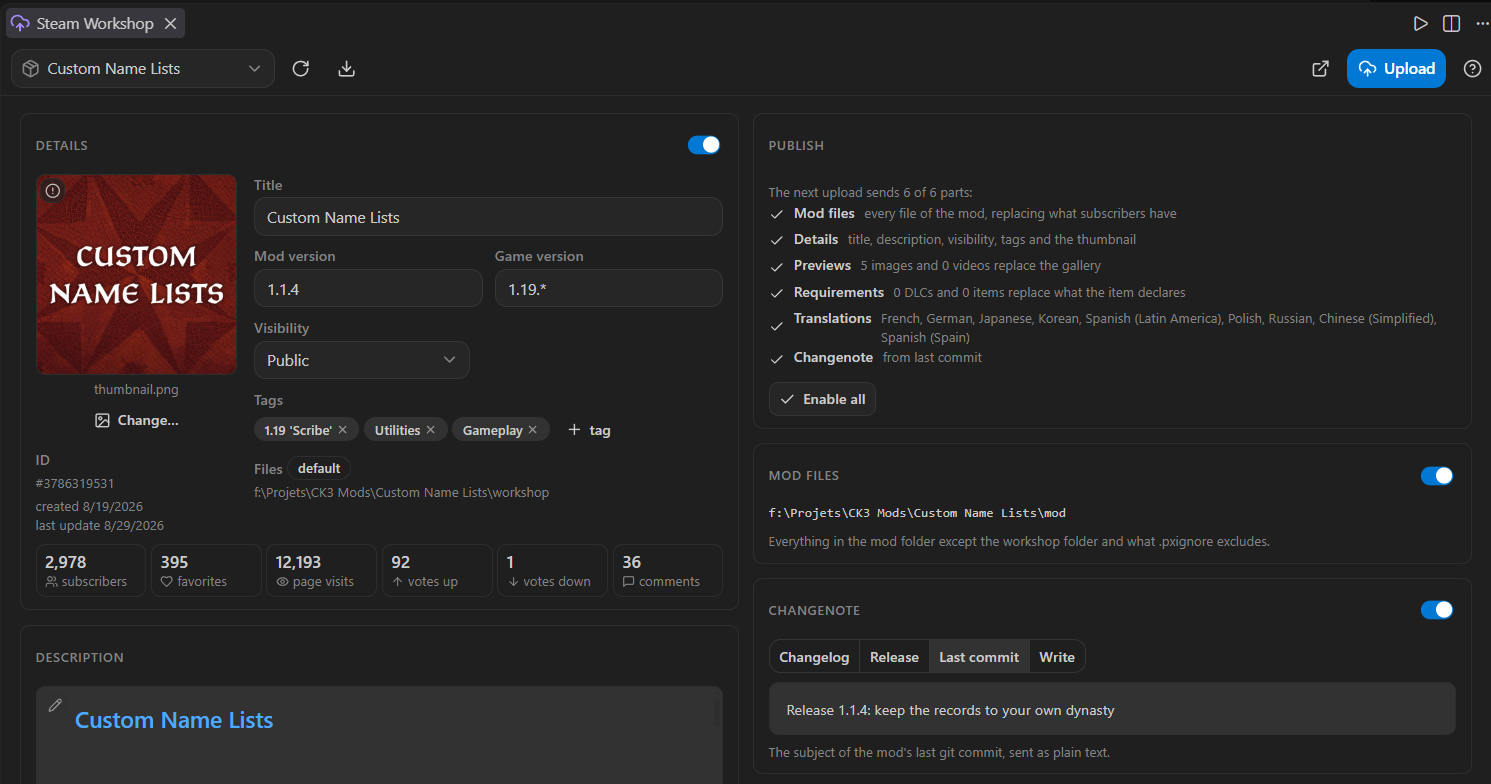
Works with CK3, Victoria 3 and EU5 through your running Steam client.
Steam Workshop guideMore tools for your mod.
Inspect event chains and interfaces, work with textures, and keep localization alongside your scripts.
Event Graph
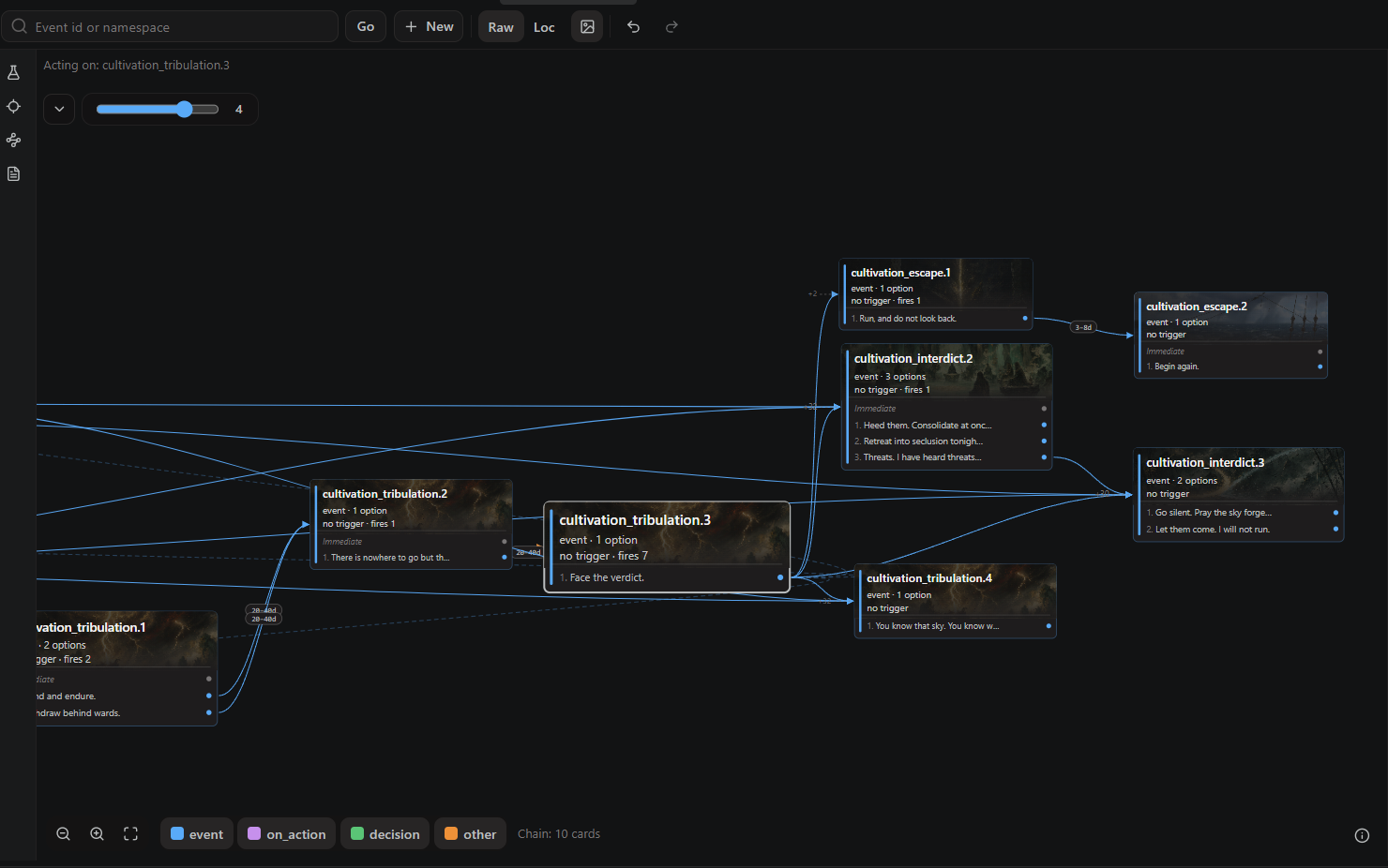
Follow the events around a choice and jump to the source.
Event Graph guideGUI Editor
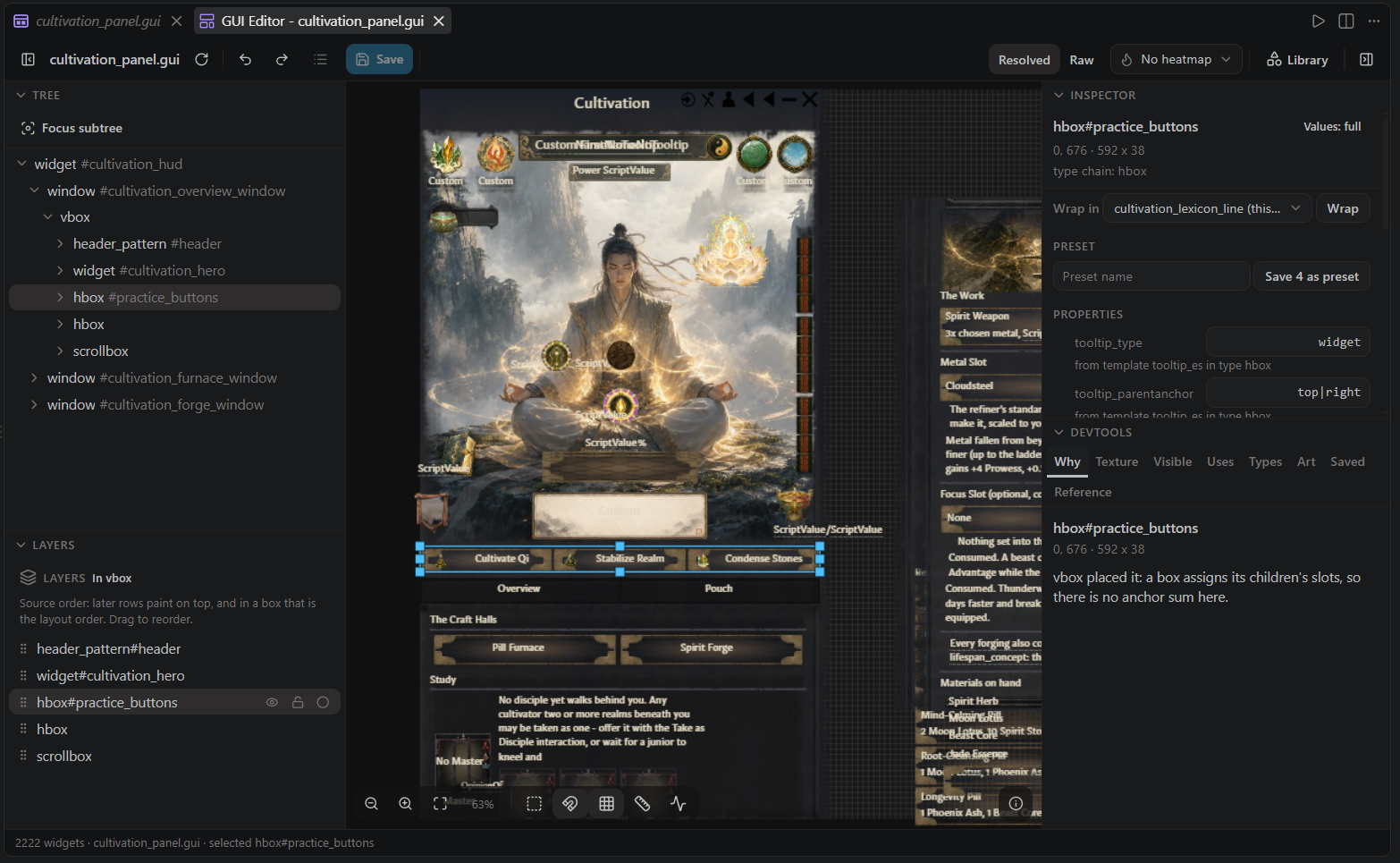
Inspect widgets and edit layouts for CK3 and Victoria 3.
GUI Editor guideSet up your workspace.
Installation, game setup and the language server. Search all 27 guides in the handbook.

Install for VS Code.
Free and open source. Requires VS Code 1.91 or later and your own game installation for game data and testing.
Built by Joël Deffner , with contributions from the Paradox modding community.
Credits and sources